EasyPlex player design
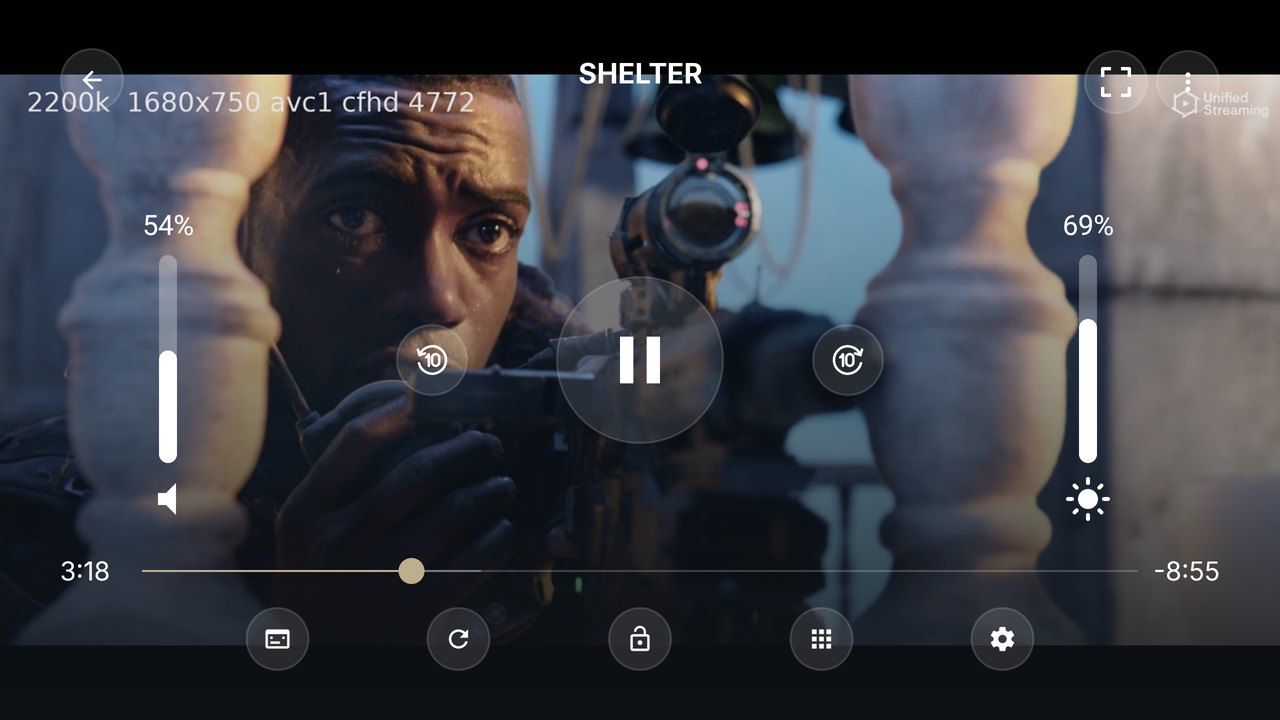
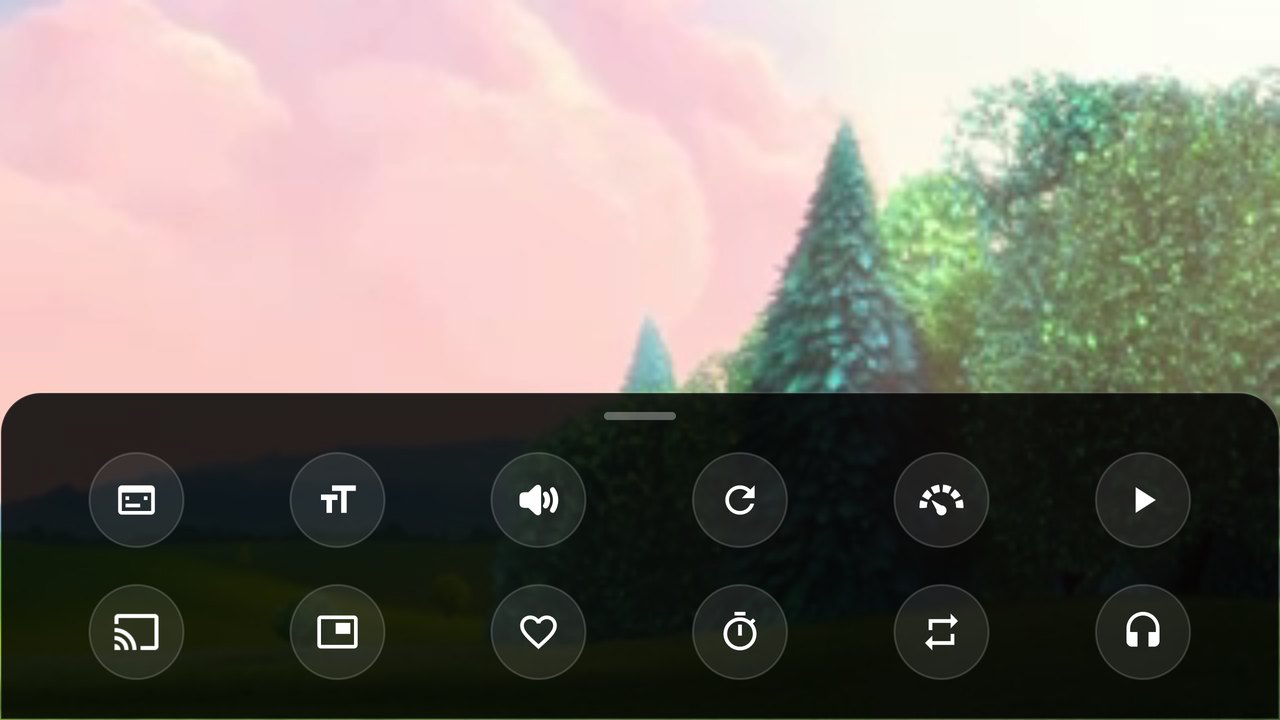
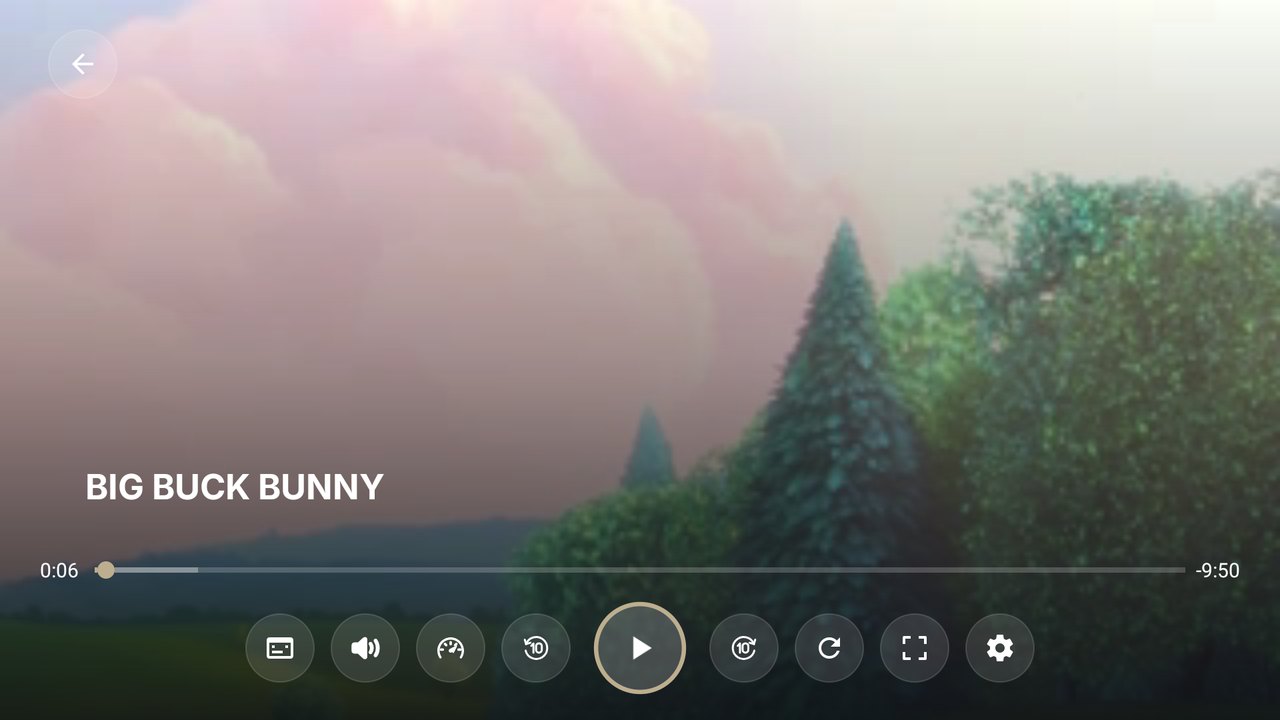
The same controls, panels and dialogs as the EasyPlex app's main player: volume and brightness sliders, scale modes, two-step lock, servers, subtitle style, up-next card and error screen.
 EasyPlex PlayerVersion 1.0 handbook
Professional servicesServices↗
EasyPlex PlayerVersion 1.0 handbook
Professional servicesServices↗
Add-on for EasyPlex · 1.0
EasyPlex Player is a native Android video player for phones, tablets and Android TV. Your EasyPlex users install it once; when they press play in the EasyPlex app, the movie, episode or channel opens in it. It is also a complete player on its own: device videos, network streams and M3U playlists.
What's inside
Built on Google's AndroidX Media3 (ExoPlayer), with the EasyPlex app's player design so a video looks the same in both apps.
The same controls, panels and dialogs as the EasyPlex app's main player: volume and brightness sliders, scale modes, two-step lock, servers, subtitle style, up-next card and error screen.
Movies, episodes, anime and live channels arrive with their title, artwork, servers, subtitles, headers and DRM. Supported hosts, embeds and YouTube servers play like in the app.
A TV player with one row of remote-friendly controls, a visible focus everywhere, TV poster cards and a home-screen banner. The EasyPlex Android TV app hands videos to it too.
MP4, MKV, WebM, HLS, DASH, SmoothStreaming and RTSP. FFmpeg audio decoders for AC3, E-AC3, DTS and TrueHD. Widevine, PlayReady and ClearKey DRM.
Ads (banner, interstitial, VAST/VMAP) and security options (flag secure, root, VPN, sniffer apps) follow your EasyPlex panel, like the app. Premium users see no ads.
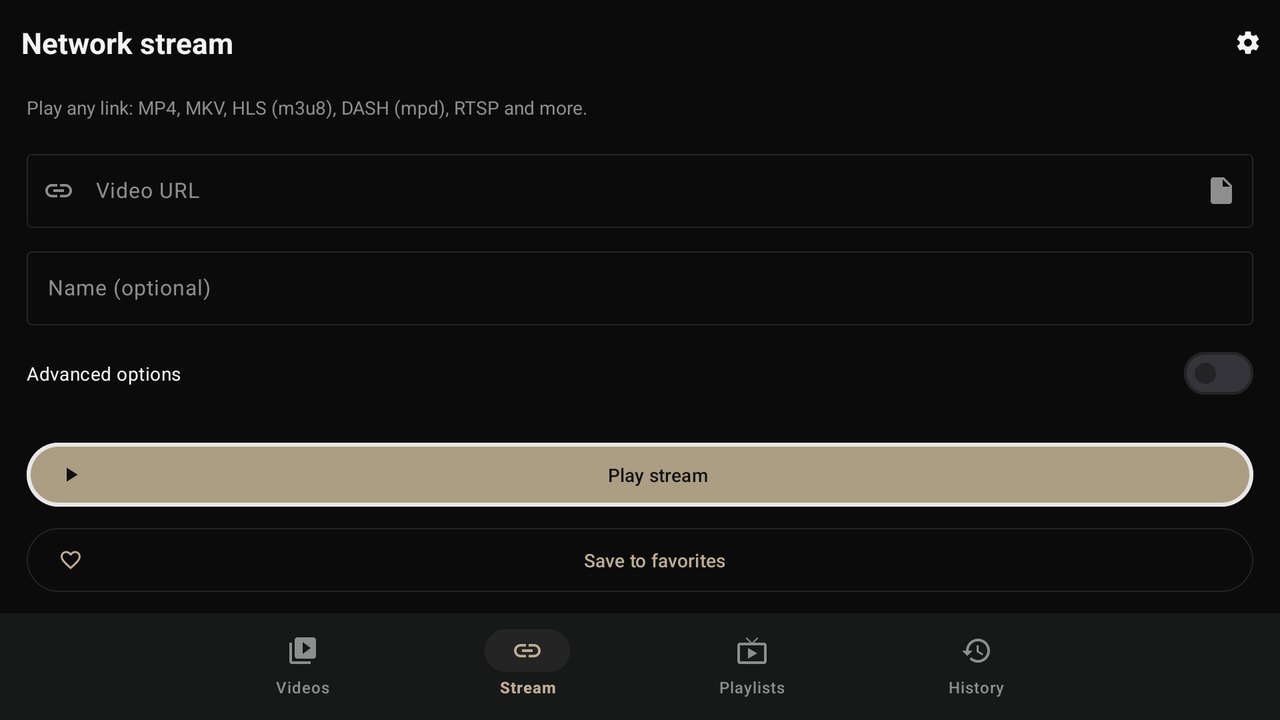
Device videos by folder, a Stream tab for any link, M3U/IPTV playlists, history and favorites, subtitles (files, OpenSubtitles), Chromecast, picture-in-picture and background audio.
System map
The player is a separate app with its own purchase code. It never talks to the license server directly: your EasyPlex panel does that for it.
com.easyplexplayer.action.PLAY_STREAMcom.easyplexplayerapi/standalone-player/licenseBefore you begin
| Item | Version / note |
|---|---|
| EasyPlex | 2.4 or newer: the admin panel and the Android app (and the Android TV app, if you use it) with standalone player support. Sold separately. The panel must be online over HTTPS: the player gets its license from it. |
| EasyPlex Player purchase code | Your Envato purchase code for this item. Your EasyPlex purchase code does not activate the player. |
| Android Studio | A recent stable release that supports Android Gradle Plugin 9.2 (it bundles JDK 21). |
| Android SDK | Platform 37 (compile), target 36. Android Studio installs it on first sync. |
| Gradle | Wrapper included (9.7.1). No separate install needed. |
| Devices | Android 7.0 (API 24) or newer phones and tablets; Android TV / Google TV. |
Android Studio
Unzip the package and open the Source/EasyPlexPlayer folder in Android Studio (File → Open). Let Gradle sync finish; accept if it asks to install SDK Platform 37.
Select a device and press Run. Without activation the player screen shows Player not activated: the home screens work, playback needs a license (see Activation).
gradlew.bat :app:assembleDebug        # Windows
./gradlew :app:assembleDebug # macOS / LinuxWhile you customize the player, debug builds can skip the license check. Add this line to local.properties (that file stays on your computer and is never part of a release):
player.devNoLicense=trueRelease builds always check the license, whatever this file says.
Branding
| What | Where |
|---|---|
| App name, AdMob App ID | app/src/main/res/values/config.xml |
| Package name | applicationId in app/build.gradle |
| Colors | app/src/main/res/values/colors.xml (brand_accent, bg_app, …) |
| Launcher icon (also the splash logo) | app/src/main/res/drawable/ic_launcher_foreground.xml, or Android Studio New → Image Asset |
| Android TV banner | app/src/main/res/drawable-xhdpi/tv_banner.png (320 × 180) |
| Logo sources, store graphics | branding/ (SVG + PNG, Google Play icon and feature graphic) |
| Player, subtitles, Cast, ads, links | app/src/main/assets/app_config.json |
| Texts and translations | app/src/main/res/values*/strings.xml |
Change only the applicationId; the Java packages (com.easyplex.player) can stay. Then enter the same value in your EasyPlex panel (Standalone player package name) or in the EasyPlex app's STANDALONE_PLAYER_PACKAGE_NAME. One purchase code activates one package name.
defaultConfig {
    applicationId "com.yourbrand.player"
    versionCode 1
    versionName "1.0.0"
}brand_accent recolors buttons, progress bars, the seek bar, selected tabs and the TV focus ring across the app.
<color name="brand_accent">#BDAE8F</color>
<color name="brand_on_accent">#111111</color>
<color name="bg_app">#0B0B0B</color>
<color name="bg_card">#171818</color>
License · purchase code
The player plays only with a license for its package name. The license comes from your EasyPlex panel, which checks your EasyPlex Player purchase code with the license server. The purchase code never reaches the apps.
In your EasyPlex panel, open Settings → Player Settings → Playback:
| Field | Value |
|---|---|
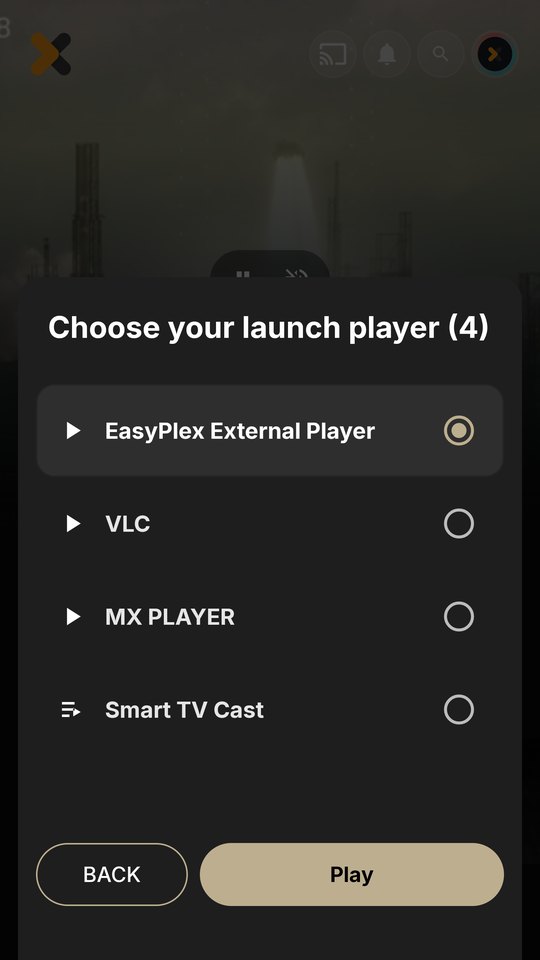
| Enable standalone EasyPlex Player | On. The apps then offer “EasyPlex External Player”. |
| Standalone player package name | Your player's applicationId, exactly as published. |
| EasyPlex Player purchase code | Your Envato purchase code for this item. After saving, the field shows “Configured”. |
Select Save Settings.
Instead of the panel fields, you can build them into the EasyPlex app. The panel fields take priority; you need only one of the two.
PLAYER_PURCHASE_KEY=your-easyplex-player-purchase-codeThe package name is STANDALONE_PLAYER_PACKAGE_NAME in util/Constants.java. The code is obfuscated into the app at build time and handed to the player with each video. The panel checks it and saves it the first time.
The player learns your panel's address from the first video the EasyPlex app sends. To activate a player that is opened on its own first, set backend.api_base_url and backend.api_key in app_config.json.
app/src/main/assets/app_config.json
Everything not needed at build time lives in this file. Every key is optional: a missing value falls back to the default shown. Users can change player options in the in-app Settings.
| Key | Default | Description |
|---|---|---|
privacy_policy_url | example.com | Shown in Settings; empty hides it. Required by Google Play. |
terms_url | example.com | Terms of use link (empty hides it). |
support_email | [email protected] | “Contact support” opens an email to this address. |
share_text | Play Store link | Text shared by “Share the app”. Update it with your package name. |
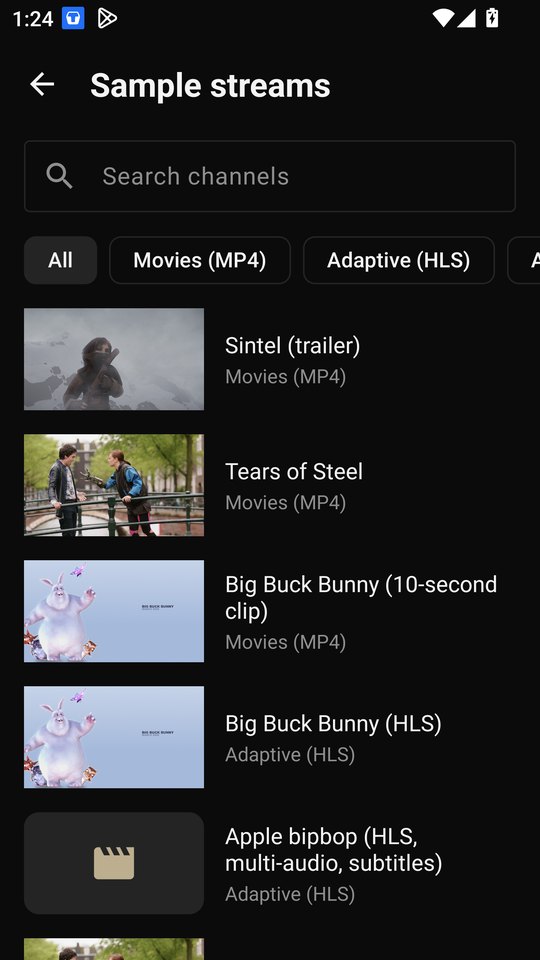
show_sample_playlist | true | Adds the bundled “Sample streams” playlist on first launch. |
| Key | Default | Description |
|---|---|---|
seek_step_seconds | 10 | Rewind/forward buttons and double-tap step. |
default_speed | 1.0 | Playback speed at start. |
resume_playback | true | Continue where the user stopped. |
auto_play_next | true | Play the next item of a folder or playlist. |
auto_play_countdown_seconds | 8 | “Up next” countdown; 0 plays the next item immediately. |
auto_pip_on_leave | true | Picture-in-picture when the user leaves during playback. |
background_audio | false | Keep audio playing in the background (with notification). |
gestures_enabled, double_tap_seek | true | Swipe for brightness, volume and seeking; double-tap to seek. |
ffmpeg_audio_decoders | true | FFmpeg decoders for AC3, E-AC3, DTS, TrueHD. |
prefer_software_decoders | false | Try software video decoders first. |
default_resize_mode | fit | fit, fill, zoom, 16_9 or 4_3. |
default_user_agent | EasyPlexPlayer/1.0… | User-Agent for network requests (a stream can override it). |
controller_timeout_seconds | 4 | Controls hide after this many seconds (at least 8 on TV). |
Your EasyPlex panel. Videos from the EasyPlex app bring these values; set them only so the player can activate and load ads before the first video from the app.
| Key | Default | Description |
|---|---|---|
enabled | true | Use the panel at all. |
api_base_url | empty | The EasyPlex API, e.g. https://example.com/api/ (the EasyPlex app's SERVER_BASE_URL). |
api_key | empty | The panel's API key (the EasyPlex app's MOBILE_API_KEY). |
refresh_minutes | 60 | How often the panel settings are fetched again. |
| Key | Default | Description |
|---|---|---|
subtitles.opensubtitles_api_key | empty | Enables “Search online” in the subtitle menu. |
subtitles.preferred_language | en | Subtitle language selected automatically when available. |
cast.enabled, cast.receiver_application_id | true, CC1AD845 | Cast button; Google's Default Media Receiver (or your own). |
providers.api_base_url, hxfile_api_key, app_domain | empty | Supported-host and embed defaults. Videos from the app bring their own values. |
providers.embed_trusted_hosts | [] | Extra embed providers the embed player may load. |
Monetization
By default ("source": "panel") ads follow your EasyPlex panel with the same rules as the EasyPlex app. Users who are premium or ad-free in the app see no ads.
| Ad | Panel settings | When |
|---|---|---|
| Home banner | “Enable banner bottom”, then the first enabled banner network: AdMob, Unity Ads or AppLovin | Above the bottom navigation. |
| Interstitial | “Enable player interstitial” and the player network (AdMob, AppLovin, Unity Ads or Meta), with its “show every N” | When the user closes the player. |
| Video ads (VAST/VMAP) | “Ads player” and the ad of Ads Manager | Before and during movies and episodes; a single pre-roll on live channels. |
res/values/config.xml must belong to the same AdMob account as the panel's ad units.ads.applovin.sdk_key."source": "local" and choose ads.network: admob, applovin, unity, facebook or none.ads.vast."enabled": false turns all ads off.Premium stays protected
The player has no user session, so it can't check premium, credits or ad unlocks itself. The EasyPlex app checks access before it sends a video, and the player then plays only that video.
Videos the user opens in the player itself (Videos, Stream, Playlists, other apps) keep every feature, including queues and auto-play.
From the panel
The player applies the panel's security options like the EasyPlex app. All are off unless the panel turns them on.
Screenshots and screen recording are blocked on every screen of the player.
With a packet sniffer, proxy or hooking tool installed (HTTP Canary, PCAPdroid, Frida, LSPosed…), the player shows a message and closes.
On a rooted device the player shows a message and closes. Root also adds to the VPN risk score.
VPN blocking, or the risk score (VPN, proxy, private DNS, VPN apps, root, backend IP reputation) with Retry, Continue and Close, like the app.
The checks run when the home screen opens and before each video. The EasyPlex app also sends its copy of these settings with each video, so they apply even when the panel requires signed requests.
Big screen
The same app runs on Android TV / Google TV. On a TV the player switches to a TV interface automatically; the files are in res/layout-television/, with the same view ids as the phone layouts.
res/drawable-xhdpi/tv_banner.png).More features
The Cast button appears when a Cast device is on the same Wi-Fi. Network streams are sent to the TV; files stored on the phone can't be cast. The default receiver doesn't send custom headers, so streams that need them may not play on Cast.
Create an API key at opensubtitles.com (API consumers), put it in subtitles.opensubtitles_api_key, and users get Subtitles → Search online. Free keys have a daily limit.
The player screen is always landscape; the other screens follow the device. Change android:screenOrientation of .player.PlayerActivity in AndroidManifest.xml to allow portrait.
#EXTM3U
#EXTINF:-1 tvg-logo="https://example.com/logo.png" group-title="News",My Channel
#EXTVLCOPT:http-user-agent=MyAgent/1.0
#EXTVLCOPT:http-referrer=https://example.com/
https://example.com/live/stream.m3u8

#EXTINF:5400 group-title="Movies",My Movie
#KODIPROP:inputstream.adaptive.license_type=com.widevine.alpha
#KODIPROP:inputstream.adaptive.license_key=https://license.example.com/widevine
https://example.com/movie/manifest.mpd

#EXTINF:0,Channel with headers
https://example.com/live.m3u8|User-Agent=MyAgent&Referer=https://example.com/
A duration of -1 or 0 marks a live channel. To ship your own default playlist, replace assets/sample_playlist.m3u and its name in strings.xml (sample_playlist_name).
Integration reference
The EasyPlex app sends com.easyplexplayer.action.PLAY_STREAM to com.easyplexplayer.ui.player.activities.EasyPlexMainPlayer (an alias of the player). Nothing has to change in the EasyPlex app as long as the package names match.
| Extra | Used for |
|---|---|
media_url / Intent data | The stream to play. |
media_title, media_serie_name, media_type | Titles and layout: 0 movie, 1 series, anime, streaming (live). |
player_payload_json | The title with its servers and subtitles; the current episode is found in its seasons. |
Headers (android.media.intent.extra.HTTP_HEADERS), media_drm*, subtitle extras | Request headers, DRM, a subtitle loaded with the video. |
easyplex_api_base_url, easyplex_api_key | The panel the player activates and loads ads from. |
easyplex_ads_free, easyplex_settings_json, easyplex_security_json | No ads for premium users; the panel's ad and security settings as the app read them. |
easyplex_player_purchase_code | The player's purchase code from the app's build (PLAYER_PURCHASE_KEY), forwarded to the panel. |
position, easyplex_progress_package, easyplex_progress_action | Start position, and where the player reports the position back (“Continue watching”). |
Intent i = new Intent("com.easyplexplayer.action.PLAY_STREAM");
i.setPackage("com.easyplexplayer");
i.setDataAndType(Uri.parse("https://example.com/v.m3u8"), "video/*");
i.putExtra("title", "My video");
i.putExtra("subtitles", "https://example.com/en.srt");
i.putExtra("position", 60000L);
startActivity(i);
A whole list: queue_json = {"title","start_index","items":[{"uri","title",…}]}.
A plain ACTION_VIEW with a video link opens the player. It understands title, headers, position, subs, video_list and from_start, and returns position, duration and end_by like MX Player.
Release
In Android Studio choose Build → Generate Signed App Bundle / APK → Android App Bundle and create a keystore. Keep it and its passwords safe: every update needs the same key.
gradlew.bat :app:bundleRelease
# Or an APK:
gradlew.bat :app:assembleRelease
Release builds are minified with R8 (rules in app/proguard-rules.pro) and always check the license.
Upload the .aab to the Google Play Console. Before each update, increase versionCode (and usually versionName) in app/build.gradle.
Store policy
privacy_policy_url.mediaPlayback foreground service type; declare it when the Console asks.Source map
assets/app_config.json            buyer configuration
assets/sample_playlist.m3u        default playlist
java/com/easyplex/player/
  ads/          AdMob, AppLovin, Unity, Meta behind one AdsManager
  cast/         Chromecast options and expanded controls
  config/       AppConfig, RemoteSettings (panel), PlayerLicense
  data/         Room database, M3U parser, playlists, device videos
  player/       PlayerActivity, PlayerFactory, gestures, tracks, service
  player/launch Intent contract (EasyPlex app, MX/VLC style callers)
  player/ui     EasyPlex player dialogs, list panel, scale modes
  security/     panel security options (root, VPN, sniffers)
  ui/           home tabs, settings, splash, TV focus
res/layout/ui_controller_view.xml             phone player controls
res/layout-television/ui_controller_view.xml  TV player controls
res/values/config.xml, colors.xml, strings.xml
Diagnostics
| Symptom | Check |
|---|---|
| “Player not activated” | Purchase code missing or wrong, package name different from the panel's, or the panel not reached yet (open a video from the EasyPlex app once, or set backend). “Already used by another app”: the code is bound to another package name. |
| The EasyPlex app opens the store page | The player isn't installed, or its applicationId differs from the panel's package name. |
| “EasyPlex External Player” isn't offered | Enable standalone EasyPlex Player is off, or the app hasn't reloaded its settings (restart it). |
| A stream plays elsewhere but not here | Add the User-Agent and Referer the server expects (Stream tab → Advanced options). |
| “Your device can't decode this video” | Turn on Settings → Prefer software video decoders. |
| No sound in some MKV files | Keep FFmpeg audio decoders on (Settings → Decoding). |
| Ads don't show | Filter Logcat by AdsManager: one line shows what will be shown and whether the panel was reached. New ad units can take hours to serve. Never for premium users. |
| An embed stream stays black | Embed providers are third-party websites; try another server and test on a real device. |
| Gradle sync fails | Use Android Studio's bundled JDK and install SDK Platform 37. |
Open source
Full notices are in THIRD_PARTY_NOTICES.md.
| Library | License |
|---|---|
| AndroidX Media3 (ExoPlayer, IMA, Cast, Session, UI), AndroidX, Material Components | Apache 2.0 |
| OkHttp, Retrofit, Gson, Glide, Timber, RxJava 3, Volley, Fast Android Networking | Apache 2.0 / BSD-style |
| BouncyCastle (license signature check) | MIT-style |
| jsoup, android-youtube-player | MIT |
| Mozilla Rhino | MPL 2.0 |
| Inter, Cairo, Open Sans fonts | SIL OFL 1.1 |
| NextLib (FFmpeg decoders) | GPL 3.0 (FFmpeg: LGPL 2.1+) |
| EasyPlex supported-hosts extractor | Part of EasyPlex |
The sample playlist uses Blender Foundation open movies (CC BY 3.0) and public test streams, for demonstration only.
Release notes
First release.
PLAYER_PURCHASE_KEY), bound to the player's package name.Final pass
Start typing to search this guide.